Articles
Blender
Free 3D that keeps outgrowing what it should be able to do, with worked steps for the things its own documentation leaves as an exercise.
Five notes on getting Mixamo animation into Blender 5 and keeping it usable.
If the character arrives in a T-pose, at the wrong scale or with bone errors, start with the FBX import fixes. Once it imports, whether a walk loops cleanly or slides depends on one choice made at export: In Place, or root motion. Making a walk cycle loop is two steps, and which one you need depends on whether In Place was ticked. Fixing sliding and snap-back is the same choice seen from the other side. The seven-slide version shows the loop before and after.
To put a Mixamo clip on your own character, retargeting, and when to skip Mixamo covers Auto-Rig Pro, Rokoko, your game engine and the alternatives.
Everything in Blender
10/20/2026
Mixamo Walk Cycle Loop, Slide by Slide: Before and After
Before and after in seven slides: loop a Mixamo walk in Blender, why Repeat with Offset matters, how to check the loop and the In Place export.
09/29/2026
Mixamo FBX in Blender 5: Fix T-Pose, Scale and Bone Errors
Mixamo FBX imports into Blender with no error and still comes out wrong. Which importer you use sets your options, and four silent failures explain the rest.
09/29/2026
Mixamo Retargeting in Blender and When to Skip Mixamo
Retarget a Mixamo clip onto your own Blender rig with Auto-Rig Pro, Rokoko or your game engine, and see when Quaternius, Cascadeur or AccuRIG is the better source.
09/29/2026
Mixamo Walk Cycle in Blender: Fix Sliding and Snap-Back
Mixamo walk cycle sliding, snapping back or walking on the spot in Blender? Choose In Place or root motion first, then loop, flatten or blend it.
05/27/2024
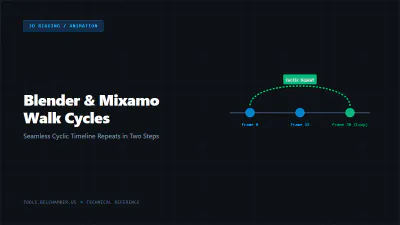
Mixamo Walk Cycle in Blender: Loop It in Two Steps
A Mixamo walk cycle plays once and stops. Making it cyclic is two steps - and which one you need depends on whether you exported with In Place ticked.