04/03/2024
Windows Dictation stuck on Initializing: the fix
Windows voice typing opens, says Initializing, and stays there. The microphone never goes live and nothing you say arrives.
A reboot clears it. So does ending one background process, which takes about ten seconds:
- Open Task Manager with Ctrl + Shift + Esc.
- On the Processes tab, find Microsoft Text Input Application.
On the Details tab it is
TextInputHost.exe. - Right-click it and choose End task.
- Press Win + H again.
Windows restarts the process on its own the moment you ask for voice typing again, so there is nothing to put back and nothing to reinstall.
That fixes the common case, which is a wedged helper process. It does nothing for the second case, and the two look identical from the outside.
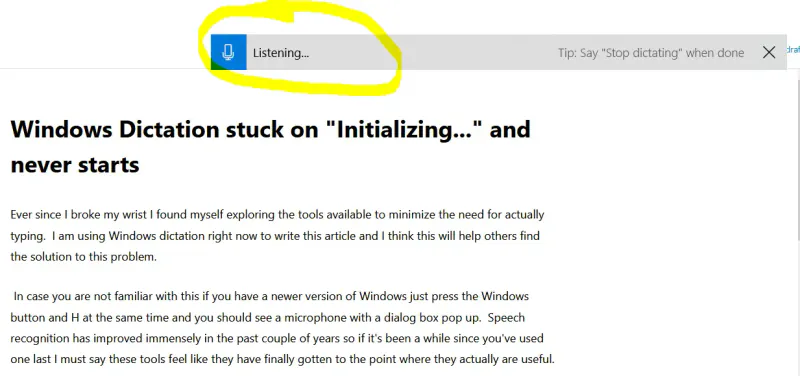
Which one is it?
- Ending the task fixes it
- A wedged helper process. Done - nothing else to check.
- It hangs again straight away
- Not the process. Stop repeating it and check the two below.
- No connection, a VPN, or a hotel captive portal
- Voice typing cannot reach Microsoft's servers, so it never initializes
- Online speech recognition is switched off
- Settings, Privacy and security, Speech. Off disables voice typing entirely
- Win+H appears to do nothing at all
- The cursor is not in a text box - it only opens against an editable field
- The panel opens but hears nothing
- Another app holds the microphone, or the wrong input device is default
Two different faults show the same word on screen. What the machine does after you end the task once is the quickest way to tell them apart.
What Initializing is actually waiting for
This is the part worth knowing, and it is not obvious from anything on screen: Windows voice typing does not run on your computer. Microsoft's own requirements are that you "be connected to the internet, have a working microphone, and have your cursor in a text box" — because the recognition happens on their servers. It is online speech recognition wearing a local interface.
So "Initializing" is the word it shows while it is trying to reach a Microsoft service. It will sit there indefinitely if:
- the connection is down, or captive-portal'd at a hotel or an airport;
- a VPN or a corporate proxy is blocking the endpoint;
- online speech recognition is switched off, under Settings, Privacy & security, Speech. Off is a perfectly reasonable privacy choice and it disables voice typing entirely;
- Microsoft's service is having a bad afternoon, which is rare and does happen.
Ending the task cannot help with any of those. If Win+H hangs on a machine that has just come off wifi, that is the answer, and the ten-second fix above is the wrong tree.
The quick way to tell them apart
End the task once. If it works, it was the process. If it hangs again immediately, stop repeating it and check the connection and the Speech setting instead — a wedged process does not usually wedge twice in a row, and a missing service always will.
The other things that produce the same symptom
- Another application is holding the microphone. A conference call still running in the background will do it. Close it and try again.
- Microphone permission is off. Settings, Privacy & security, Microphone, and check that desktop apps are allowed.
- The cursor is not in a text box. Voice typing only opens against an editable field, so pressing Win+H on the desktop or in a menu gives you a panel with nowhere to type.
- The wrong input device is selected. Voice typing follows the system default, so a disconnected headset can leave it listening to nothing while still appearing to work.
Dictation or voice typing?
The same feature, renamed. Windows 10 calls it Dictation; Windows 11 calls it voice typing. Win+H opens it on both, and everything above applies to either. If you are following an older guide that says "Dictation" and your Settings app says "voice typing", you are in the right place.
Microsoft's community thread on this has a longer list of things to try if none of the above lands: dictation stops working and gets stuck on initializing.
This article was originally dictated rather than typed, with a broken wrist, which is how the fix came to be worth writing down: when typing is the thing you are avoiding, "just reboot" is an expensive answer.
One request for Microsoft, while I have the floor: a keyboard shortcut to toggle the microphone back on would save reaching for the mouse, which is the one thing voice typing is supposed to spare you.
Questions this keeps raising
Does Windows voice typing work offline?
No. Microsoft's requirements for it are an internet connection, a working microphone and a cursor in a text box, because recognition runs on their servers rather than on your machine. That is why it can hang on Initializing on a laptop that has just lost wifi, and why ending the Text Input Application task does nothing in that case. Voice access is the separate feature that does work offline: it uses on-device recognition, and needs a connection only once, to download its language files.
Is it safe to end the Microsoft Text Input Application task?
Yes. It is the process behind the touch keyboard, emoji panel and voice typing, and Windows relaunches it automatically the moment something asks for one of those. There is nothing to reinstall and no setting to restore afterwards.
Why does Win+H do nothing at all?
Usually because the cursor is not in an editable field - voice typing opens against a text box and nowhere else, so pressing it on the desktop or in a menu appears to do nothing. In some applications the shortcut is also captured by the application itself before Windows sees it.
I turned off online speech recognition for privacy. Can I still dictate?
Not with Win+H voice typing, which depends on it. Voice access, under Accessibility in Settings, is the feature to look at instead: it runs recognition on the device and needs a connection only for the one-time language download, so it is the supported route for dictating without sending audio to Microsoft.