09/30/2026
Git Recovery in Seven Slides: Undo, Recover, Unbreak
The commands you need twice a year
Nobody memorizes the git commands for the bad day. This deck keeps them in one place: seven slides, each with the exact commands and what they do to your files. Use the arrow keys or the Next button. With scripts off, the slides read in order below.
Run the check on the first slide before you try anything else. Most recoveries start with what it shows.
Git recovery, slide by slide

Look firstgit status && git stash list && git reflog -20 answers three questions: what is uncommitted, what is set aside, and where HEAD has been. A committed change stays recoverable from the reflog for about 30 days by default (90 days while it is still reachable); edits you never committed are not covered. 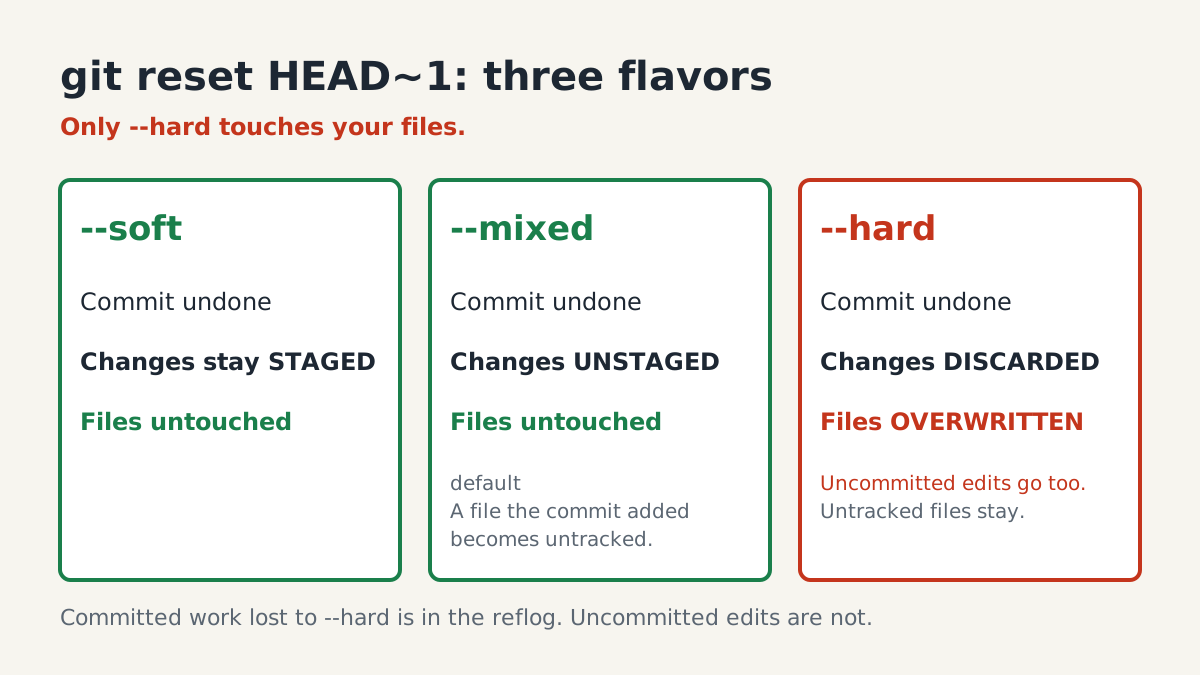
Three kinds of resetOnly --hard touches your files, and it discards uncommitted edits to tracked files too. --soft and --mixed move the branch pointer and leave the working tree as it is; with --mixed, a file the commit added becomes untracked. 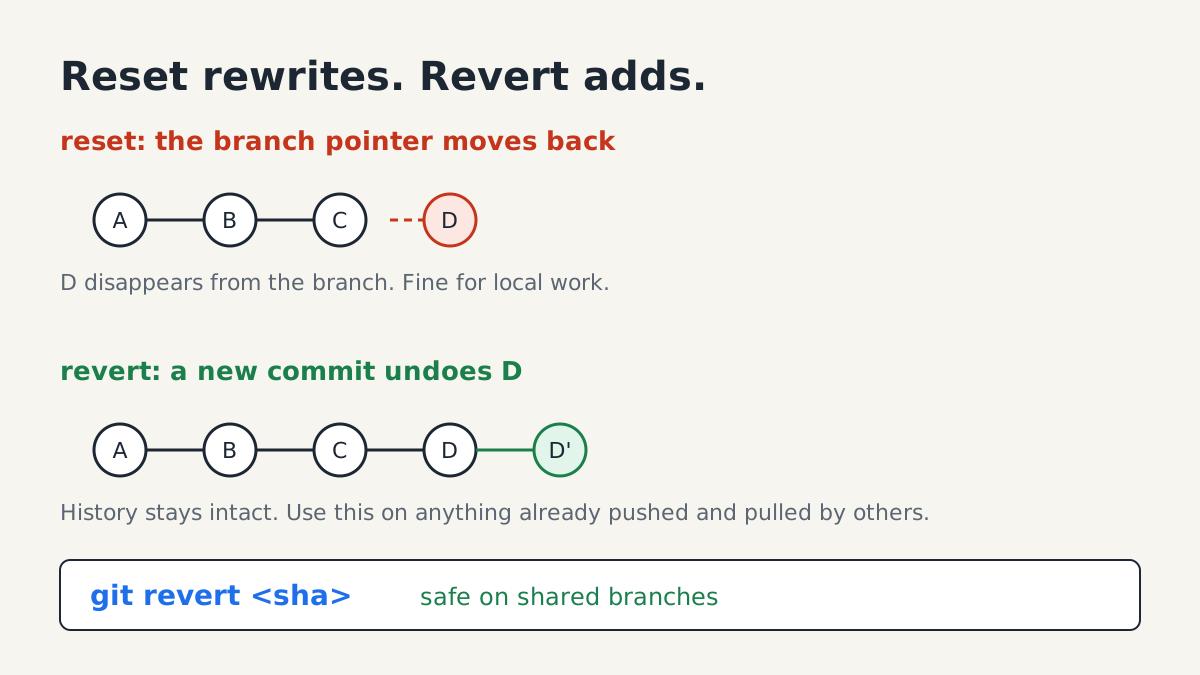
Reset or revertOn anything you have pushed and others have pulled, use revert: it adds a commit instead of rewriting history. 
Reflog rescueFind the sha in the reflog, then pin it to a branch before you do anything else. A branch keeps the commit reachable. git switch needs Git 2.23 or newer. 
Wrong branchNot pushed yet: run git fetch, then git switch -c feature and git branch -f main origin/main. Edits you have not committed come along and no --hard is needed. Already pushed: moving main does nothing, so keep the work on the new branch and git revert the commit on main. git switch needs Git 2.23 or newer. 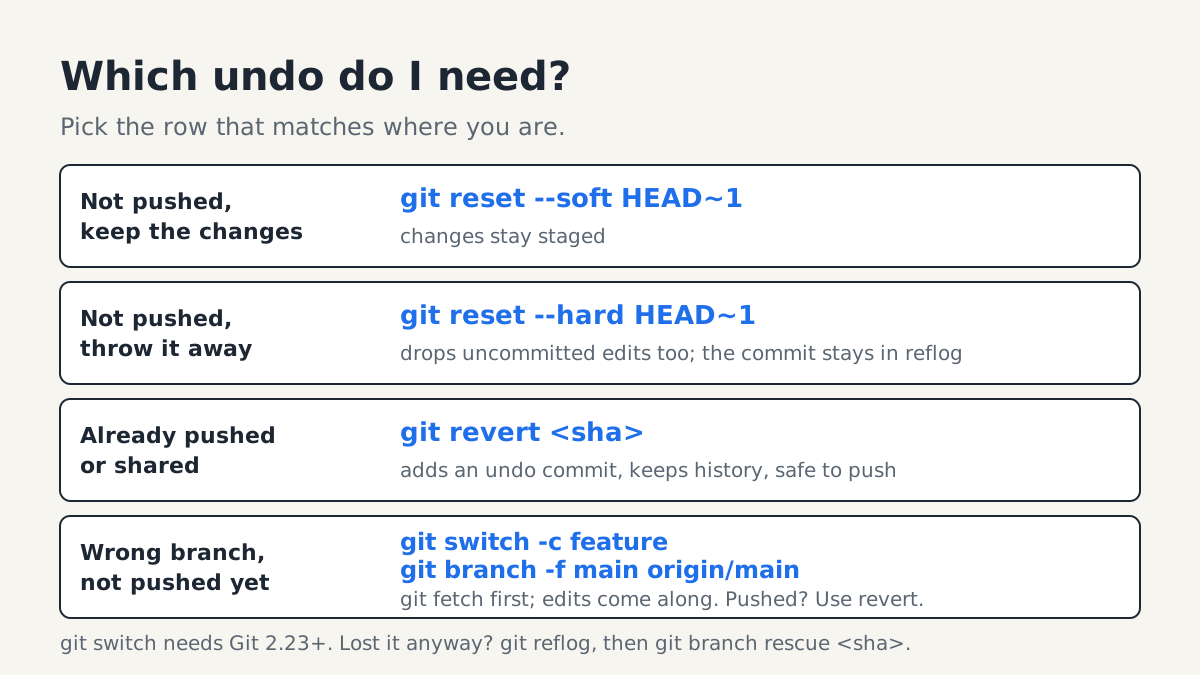
Which undo do I need?Pick the row that matches where you are. Not pushed, keep the changes: git reset --soft HEAD~1. Not pushed, throw it away: git reset --hard HEAD~1. Already pushed: git revert <sha>. Wrong branch, not pushed yet: git switch -c feature, then git branch -f main origin/main. 
Escape a rebase or mergegit status says which one you are in. Abort returns the branch to where it started; commit or stash before you begin, because uncommitted edits may not come back after a merge abort. To finish instead, fix the files, git add them and run git rebase --continue or git merge --continue.
Where the rest is
Stash, clean and the other ways to lose work quietly are on the Git recovery cheat sheet.
Researched and drafted with AI, then reviewed and edited by the site's editors.